Not every PDF should become a flipbook
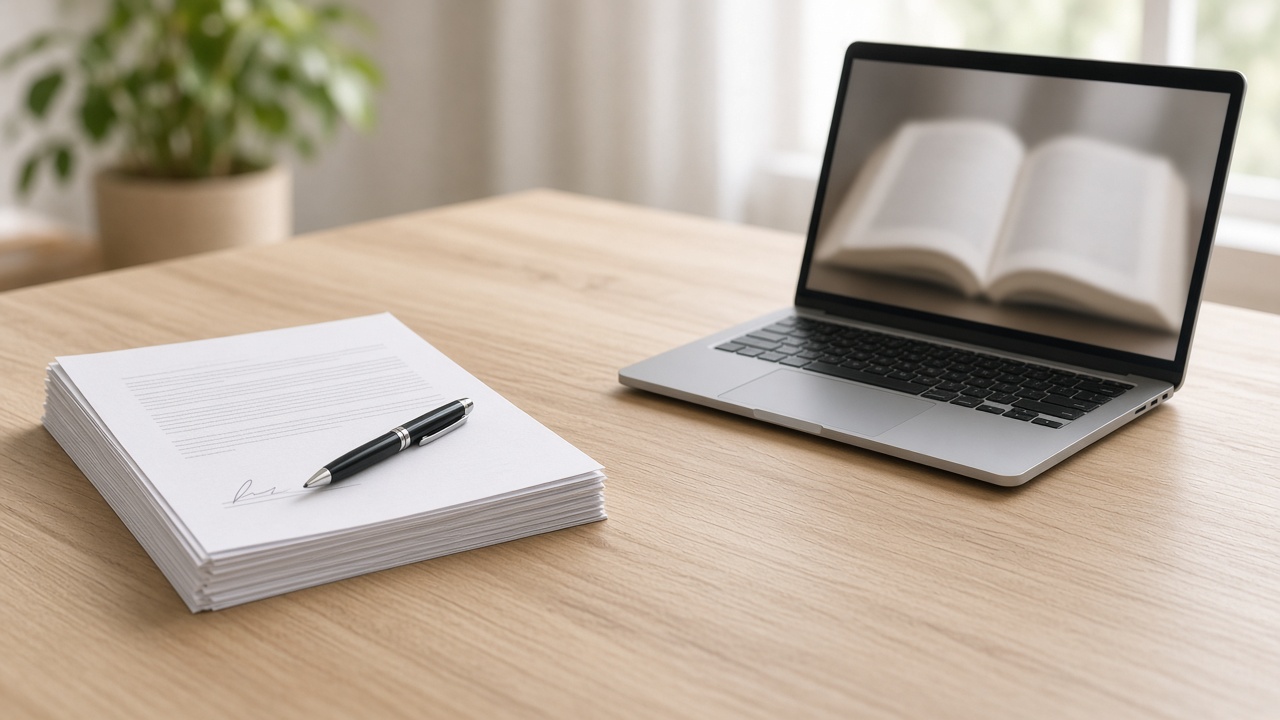
Not every PDF should become a flipbook. A flipbook is a reading link. It shows the pages in order. It is the wrong tool when the other person must keep the file, sign it, fill it in, upload it to a portal, or hear it with a screen reader as the main path.
The advice you see everywhere is “turn any PDF into a flipbook.” That advice sells a format. It does not ask what the recipient has to do. This piece does. You will leave with one question, a clear stop list, and the cases where a page-turn book still earns its place.
In this guide:
Why that advice sounds right
It sounds right because a lot of PDFs are hard to share. Attachments bounce. Drive links ask for access. Phones make people pinch and zoom through a brochure. A link that opens pages in the browser solves those jobs. For the short definition, see what a PDF flipbook is.
The mistake is treating that fix as a rule for every PDF. A lookbook and a lease are both PDFs. Only one of them is a reading job.
The one question before you convert
What must the other person do after they open it?
If they must keep a copy, upload it, sign it, fill fields, print it at a shop, or archive it for later, they need the file, or a drive link to the file. If they only need to turn the pages and understand the content, a flipbook link can carry the job without putting a heavy attachment in their downloads.
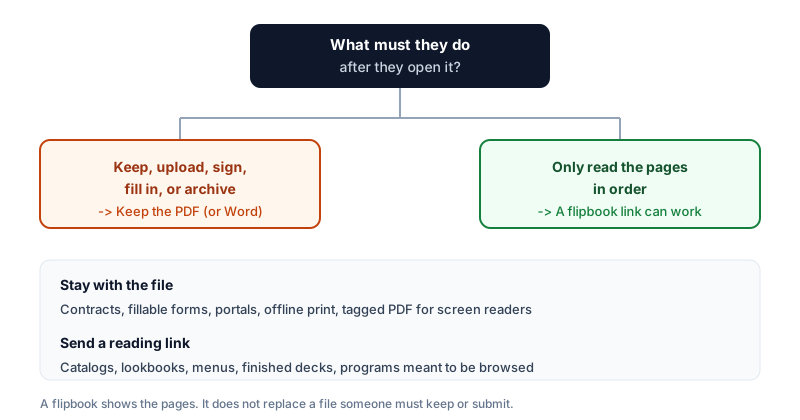
That question is the whole article. Everything below is the stop list and the yes list that fall out of it.
Keep the PDF when the format is the job
Stop when the format itself is part of the work. The table is the decision.
| They need to | Send this | Do not send |
|---|---|---|
| Sign a contract or use e-sign | The PDF (or the signing tool’s file) | A flipbook. There is nothing to sign. |
| Fill fields and send the form back | A fillable PDF or a web form | A picture of a form they cannot type into |
| Upload to a court, job, or government portal | The file the portal accepts | A link. Portals want an upload. |
| Print at a shop or keep an offline copy | The PDF | An online book that needs a connection |
| Read with a screen reader as the main path | A tagged, accessible PDF (or HTML) | An image-based page view as the only option |
| Read a long text manual or handbook | A normal PDF or HTML page | A page-turn book that fights continuous reading |
| Edit the document next | The Word file or the Doc | A frozen book of finished pages |
| Keep an invoice or record on file | The PDF | A public reading link alone |
Contracts and signatures
A flipbook shows the page. It does not collect a signature. If the next step is DocuSign, Adobe Sign, or a wet ink scan, send the file the tool expects. Turning a lease into a book does not make it easier to execute. It makes it harder.
Fillable forms
If the PDF has fields, checkboxes, or a signature block someone must complete, keep it a PDF or move the form to a real web form. A flipbook draws each page as an image. The fields do not work. The same rule sits in our Word and Google Docs guide: links painted on the page stay visible and do not click.
Portals that want an upload
Courts, universities, and many job systems ask for a PDF upload. A link will not satisfy them. Compress or split until the upload accepts it. That path is in the email size guide. Do not send a flipbook and call it the file.
Offline and print shops
A flipbook needs the browser and a connection. A print shop, a warehouse without signal, or a handout someone prints at home needs the file. Leave the download next to the book if you publish both. Do not make the book the only copy.
Long text manuals
A dense handbook or procedure manual is easier as a scrolling PDF or a web page than as turning leaves. Page-turn animation helps designed spreads. It fights continuous prose. Keep those manuals as files, or publish them as HTML.
Screen readers and image pages
Adobe’s guide Accessing PDF Documents with Assistive Technology explains that image-only PDF files are a barrier for screen reader users: the screen shows a picture of text, not characters the reader can speak. Acrobat’s accessibility help treats “image-only PDF” as a check you must fix when you prepare a document for accessibility.
Our flipbook draws each page as an image so the layout stays intact. That is useful for a photo catalog. It is the wrong primary path when someone depends on a screen reader to hear the words. For that job, publish a properly tagged PDF, or put the content in HTML, and do not treat the page-turn view as the accessible version.
FlippingBook, a flipbook vendor, states in its own ADA guide that the flipbook format has technical limits and that making a media-rich flipbook accessible is a real challenge. We agree with the limit, even though we sell the format for reading jobs. Honesty is part of the product.
Confidential files
A shared flipbook link is public to anyone who has it, the same way an “anyone with the link” Drive file is. If the document has names, salaries, or a draft you would not post, do not share it. The privacy guide covers what to check first. A password on the PDF does not lock the shared book on this site.
When a flipbook still earns its place
When the job is reading finished pages in order, and the file itself is not the deliverable.
- Product catalogs and lookbooks someone browses on a phone
- Menus and programs people open from a link or a QR code
- Finished pitch decks after the meeting, when nobody needs to edit slides
- Newsletters and booklets meant to be turned, not filed
- Brochures that would bounce as email attachments
- Short print runs paired with a current online version, covered in the print cost guide
Flipbook vs a standard PDF viewer is the longer comparison of reading experience. This article is only the stop sign.
When roles split between file and reading
Send both. The buyer who must upload the proposal to their portal gets the PDF. The partner who only wants to flip through the lookbook gets the link. Or put the book on a page of your site and keep a “Download PDF” next to it. The embed guide is the paste for the page. The share link is for chat and email. Do not paste the share link into an iframe; that public page refuses to be framed.
How to make the book when the job is reading
Export a clean PDF first: one document page per PDF page, no two-pages-per-sheet handout grid. Drop it on the home page converter. The preview is drawn in your browser. Turn two pages. Choose Share for a link, or Embed for a site. A guest can share up to 100 MB. An account reaches 300 MB. Past that, export a lighter screen PDF.
Nothing is published until you choose Share. A preview you only look at yourself can be closed.
The short version
- One question: what must they do after they open it?
- Keep, upload, sign, fill, archive, or rely on a screen reader → keep the PDF (or Word / HTML).
- Only read the pages → a flipbook link can work.
- When roles split, send the file and the reading link.
- “Turn any PDF into a flipbook” is a sales line. The right format is the one that matches the job.
If the table says read, open the converter on the home page. If it says keep the file, stop here and send the file.