The send that showed the wrong brand
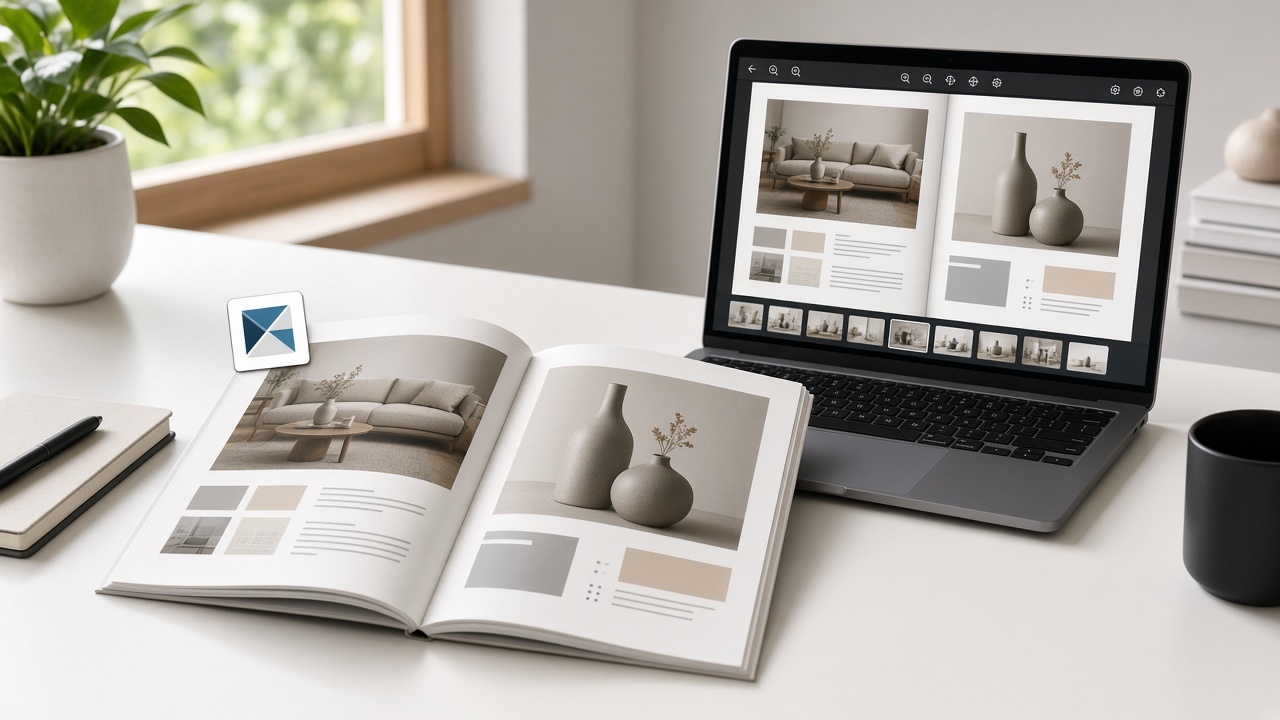
“Free” got you a page-turn book in ten minutes. Then the client opened the link. In the corner sat another company’s logo. Or a demo watermark cut across a spread you spent a week designing. The catalog was theirs. The brand on top of it was not.
That moment is the real cost of a free flipbook plan. This piece is for freelancers, small agencies, and marketers who ship client-facing catalogs and lookbooks. You will leave with one send-time test, three honest doors, and a path that does not stamp someone else’s name on the work.
In this guide:
Why free flipbook tools win the first click
They solve a real afternoon problem. The PDF is done. Email will bounce or look like a file dump. Someone in the group chat names a converter. You drop the PDF. Pages turn. You have a URL. For a class magazine or a draft lookbook you only show your partner, that path is fine.
The trap is treating “I got a link” as “this is ready for the client.” A free plan is a product. The product often sells by putting its name on your reader’s screen until you upgrade. That is not a bug. It is the business model. Your job is to notice it before the client’s buying committee does.
For the wider stop list of when a flipbook is the wrong tool at all, see when not to use a flipbook. This article is only about the brand that sits on top of an otherwise fine reading job.
What free actually leaves on the book
Vendors describe free differently. Read their words, not a roundup blog.
| Platform | What free leaves on client work | Source |
|---|---|---|
| FlipHTML5 Free | FlipHTML5 watermark stamped; ads on the books | FlipHTML5 pricing FAQ |
| Heyzine free | No watermark painted over pages; Heyzine logo in the viewer corner until you subscribe | Heyzine FAQ |
| FlipBuilder unpaid | Demo watermark; only the first 12 pages import | FlipBuilder help |
FlipHTML5’s pricing page answers “What are the limitations of Free version?” with a clear list: ads on the books, and a FlipHTML5 watermark stamped. Their help article Remove the FlipHTML5 Logo from Flipbook After Upgrading (updated June 4, 2026) states that Free Plan flipbooks include the FlipHTML5 logo, and that Pro, Platinum, or Enterprise removes it.
Heyzine’s FAQ is equally plain: they do not place watermarks over the flipbook, but they do show a Heyzine logo on the viewer corner. You remove it and add your own by subscribing. Their marketing page also says free conversions have no ads and no watermarks over the publication — which matches the FAQ’s distinction between a page watermark and a corner logo. For prices and a side-by-side with FlipBuilder, use our Heyzine vs FlipBuilder cost guide. For FlipHTML5 and Issuu caps, see the free alternatives comparison.
None of that makes those tools “bad.” It means free is not the same as white-label. If the book is for a client logo on a real brand, the corner mark or the stamp is part of the deliverable whether you meant it or not.
The one test before you send the link
Would I be comfortable if the client’s boss, or their customer, saw this other brand next to theirs?
If yes — internal review, school project, early mood board — send the free link and move on.
If no — stop. Do not hope they do not notice. They will. Fix the brand layer first: pay the vendor, or publish the pages with a tool that does not put a platform logo on the book.
That test is faster than a feature matrix. It matches how embarrassment actually arrives: not in a pricing table, but in a message from the client after they opened what you sent.
Three doors when another brand is on the pages
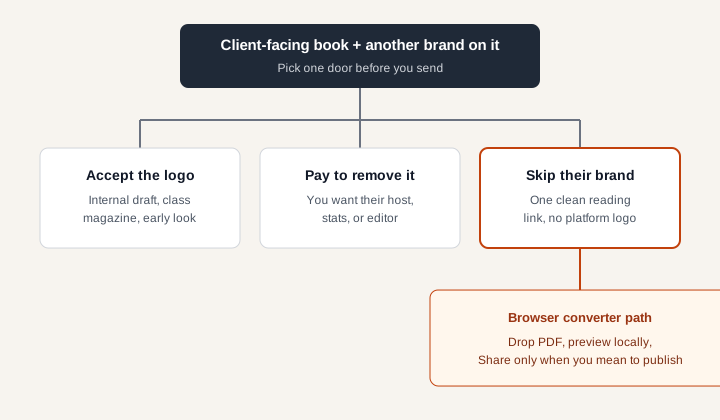
Door 1 — Accept the logo
Use it when the audience is you, a classmate, or a collaborator who already knows the draft is temporary. Do not use it for a paid client deliverable, a retailer catalog, or anything that will be forwarded to a buying group.
Door 2 — Pay to remove it
Use it when you want that vendor’s host, editor, stats, password options, or custom domain. Heyzine’s FAQ ties logo removal to a paid plan. FlipHTML5’s help ties logo removal to Pro and above. Paying is honest when you are buying the platform, not when you only needed a clean link once.
Door 3 — Skip their brand
Use it when the job is simple: finished PDF, reading link, no platform name on the pages. Preview in the browser, then Share only when you mean the book to be public. That is the path on the home page converter: no watermark on the book, no signup required to try a normal file. A guest can share up to 100 MB; an account reaches 300 MB.
If the PDF started in Canva, export first, then convert — the Canva flipbook guide covers that export. If the book belongs on a site page, the embed guide is the paste step after you have a clean publication.
How to ship a clean reading link today
- Export a clean PDF: one document page per PDF page, no two-up handout sheet.
- Open the home page. Drop the file. The preview is drawn in your browser.
- Turn two pages. Check corners and the toolbar for anything that is not your client’s brand.
- If the book should stay private to you, close the tab. Preview was never a public project.
- If someone else should read it, choose Share. Send that link. Anyone with the URL can open it — same class of exposure as an “anyone with the link” file. Do not Share confidential drafts. The privacy guide is the longer checklist.
Nothing is published until you choose Share. That is the line between “I am checking the pages” and “the client can open this.”
When paying for a flipbook platform still makes sense
Pay when you need what free withholds on purpose: their hosting at scale, lead widgets, detailed reader stats, password gates, or a custom subdomain. Those features are why the logo exists on free. If you need them every week, a yearly plan is cheaper than pretending free was white-label.
Skip the upgrade when you only needed one clean catalog this afternoon. Buying a platform to remove a logo you never wanted is the expensive version of Door 3.
Also skip a flipbook entirely when the recipient must keep, sign, fill, or upload a file. That decision is in when not to use a flipbook, not here.
The short version
- Free often means their brand stays until you pay.
- Run the boss test before you send.
- Accept, pay, or skip — pick one door on purpose.
- For a clean reading link without a platform logo on the pages, convert on the home page, then Share only when the book should be public.